Create a recurring service plan
Plan repeat visits once, generate appointments ahead, and keep the service history together.
Updated August 9, 2026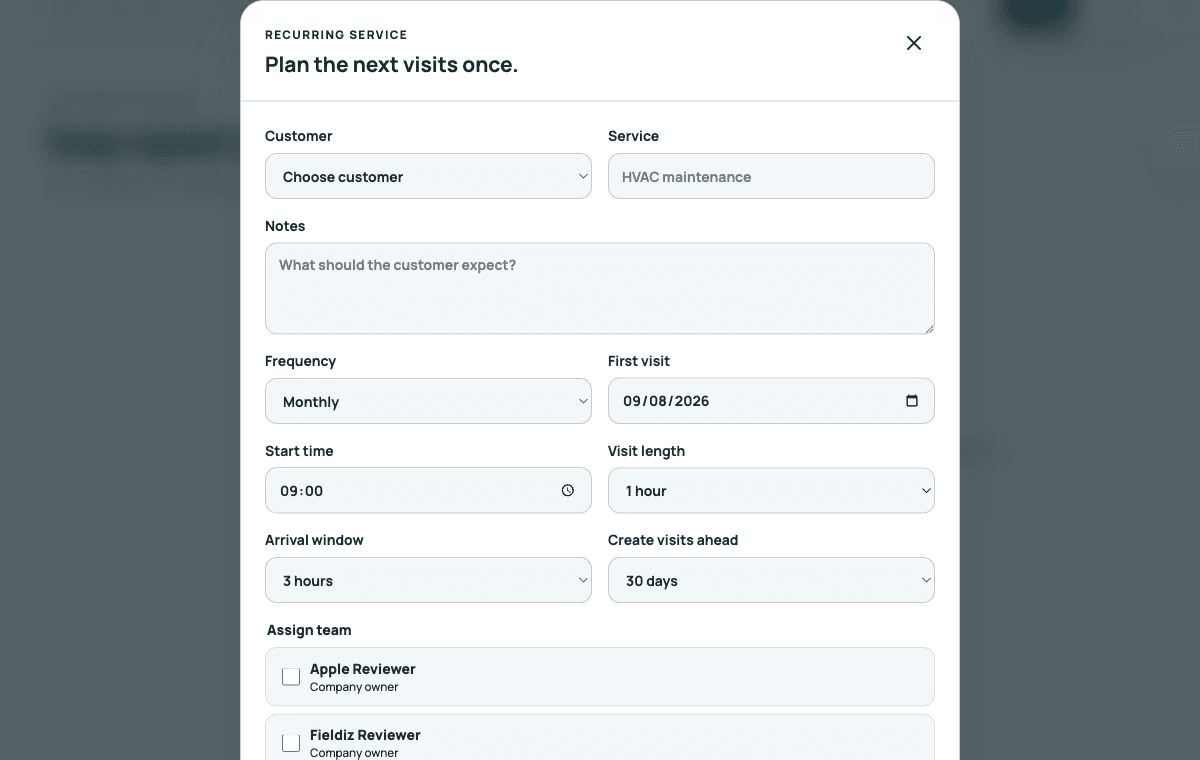
Create the plan
- Open Recurring service → New recurring service.
- Choose the customer and enter the service and customer-facing notes.
- Select the frequency, first visit, local start time, visit length, and arrival window.
- Choose how far ahead Fieldiz should create visits.
- Assign the preferred team members and save.
Generate and review visits
Fieldiz creates appointments only within the configured lead window. Review generated visits in Schedule, confirm assignments, and adjust a single visit when the customer needs an exception. The recurring plan remains the source for later visits.
Pause without losing history
Pause a plan when service is temporarily stopped and resume it when work continues. End the plan only when the agreement is finished. Existing jobs, appointments, documents, and activity remain visible.